The battery charges slowly or cannot be charged at all; Photos are missing for unknown reasons… these are common errors on Galaxy Note 3
Galaxy Note 3 is one of the series tablet Trusted by many people with its high-end touch screen, long battery life and great changes to the S-pen, the process of using the device is much improved.
The number of devices sold within 1 month on the market has reached 5 million devices – a record number, creating a relatively large counterweight for iPhone 5S that time. Up to now, the number of Galaxy Note 3 users is a large number and most people feel satisfied with this Note 3. However, like other super products, not everything can be perfect. Note 3 users also reported that the device had some errors, and quite a few people encountered them. Below is a guide to solutions for common errors on the Galaxy Note 3
1. Charging the battery slowly or not charging at all
Many Galaxy Note 3 users report that the device charges very slowly, or sometimes the battery does not charge, making them feel very uncomfortable. So what to do when encountering these situations?
– First of all, check to make sure you have used the correct type of battery charger specifically for your Note 3, and sold with the Note 3 purchase box. Charging the same type of battery but from a different device, a different model will cause some trouble in charging the battery.
– In some cases, the battery has been charging for a long time since the day you first bought it and it may be a manufacturer error. In these cases, you can go to the official Galaxy Note 3 distribution points to request a new charger for you.
– Check your charger to see if it is dirty or deformed on the charger. If there is too much dirt, it can hinder contact with electricity, causing the battery to charge slowly, so use a brush to brush away the dust on the surface, exposing the metal contact. If the charger is broken or deformed too much, a new charger will be better for you
2. Photos disappear
Many Note 3 users report that the photos they took with the device are nowhere to be found or are stored in drives not intended for them. So if we encounter these situations, what should we do?
It’s possible that the photo is hidden somewhere, try the following methods
– Go to “Settings” => “Application management” => “Photo gallery” => “Force stop” => “Clear Cache”.
– Go to “photo library”, select “options” => “Show hidden files”
– Go to “My Files” => “Settings” => “Show hidden files”
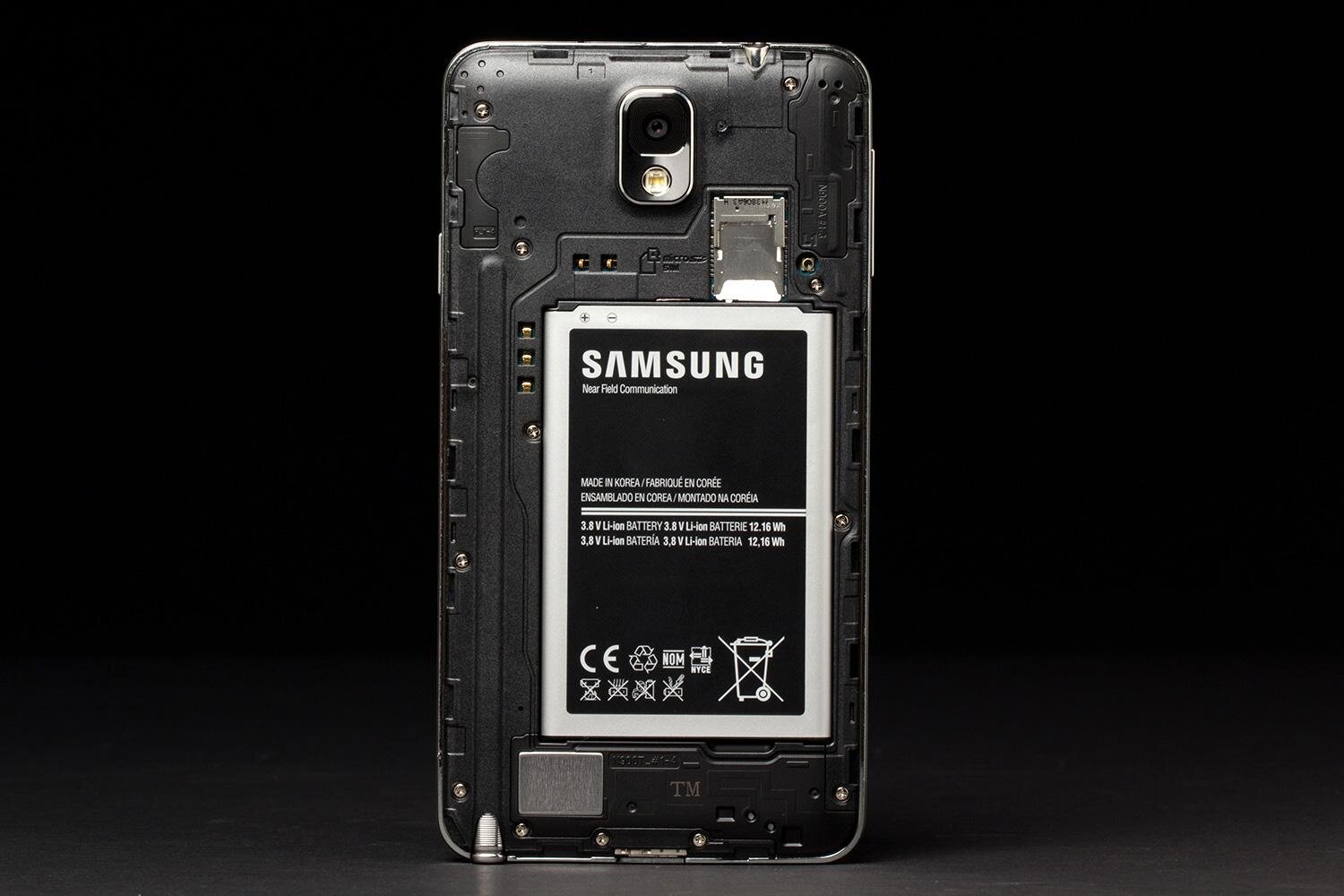
If you’ve done all the above steps and still can’t find the photos, the problem may be with your Micro SD memory card. Carefully remove it from your Note 3 and connect the sim card to the computer, reorganize the files logically, and save the photos in a permanent file in the sim card and then reinsert it into your Note 3.
If you accidentally delete your photos, it’s best to stop all activity and use a recovery software to recover your photos.
3. Missed calls
A large number of users report that they often miss calls, even just a few seconds after an incoming call rings even though the connection signal is still very strong. So where is the problem?
– The cause may be due to a 3rd party application trying to connect and update the device phone your device, this will affect the network signal of your Note 3. Exit all applications and power off the device, then remove the battery from the device, reinsert it, and restart the device. This way, third-party applications will not continue to update to your phone, and your network signal will definitely be much better.
– The network signal of the place you use is not good, so move to a place with a stronger network signal. Or in some cases, you should use “Select priority network”, whereby you will choose for yourself a priority network for your Note 3. Many people report that choosing this priority network is very useful and can solve previous call drop situations.
– If you have tried all of the above methods and still do not work, it is definitely because your Note 3 has a hardware problem, try bringing it to a genuine Samsung repair and maintenance dealer. Samsung to check again.
Samsung Galaxy Note 3 is also capable of using online calls very well, so call applications such as Skype, Tango, Viber, Zalo… will be used very effectively on Note 3.
4. Inaccurate positioning
A large number of Note 3 users in the US reported that the positioning function of this tablet did not work effectively. And the cause is said to be a problem in “communication” between the Note 3’s navigation system and the US AT&T telecommunications network.
Currently, AT&T has released Android 4.4 Kitkat operating system specifically for Galaxy Note 3. Users can automatically update this operating system for Note 3 by accessing: “Settings” => “General settings” => “Device” => “Application updates”
5. Battery drains quickly
Galaxy Note 3 is said to be one of Samsung’s devices with good battery life, but a large number of Note 3 users report that their device’s battery runs out faster than usual when the device is new and there seems to be no problem with the device’s hardware.
If you encounter this situation, review your settings to find some problems and find power-saving solutions for your tablet.
Try going to “Settings” => “General settings” => “Battery settings” and check if there is anything unusual in your car’s settings to adjust it.
Another way is to go to “Settings” => “General settings” => “Backup and reset” => select factory settings
Thus, battery usage will be returned to the default mode in which the device is originally installed. With this battery mode, you will save a lot of electricity while using the device.
6. Email error does not synchronize automatically
We often set the mode to have a signal when there is a new message in Email (Email is synchronized with Note 30, however, many users encounter a situation where the device does not automatically notify when there is new mail, or new mail does not appear in the inbox in Note 3 even when fresh. If you encounter this situation, do the following:
– Check if the synchronization in the settings is automatically turned off. If it is turned off, you must turn it back on
– Check if the device is in “battery saving” mode, have you turned off “quick settings” or not? If it is off, you must turn it back on.
– Open Email on Note 3, go to “menu” => “Settings” => “Account settings” => “Extended settings” and check if the links to your account are correct
– If the above methods still do not work, you should delete all Email accounts on Note 3, then restart the device, and reset your account.
Websosanh.vn – The first price comparison website in Vietnam

 https://orcid.org/0009-0009-1599-2739